Built for multi-table service
Multi Timer for
Table Timing
No more kitchen timer.
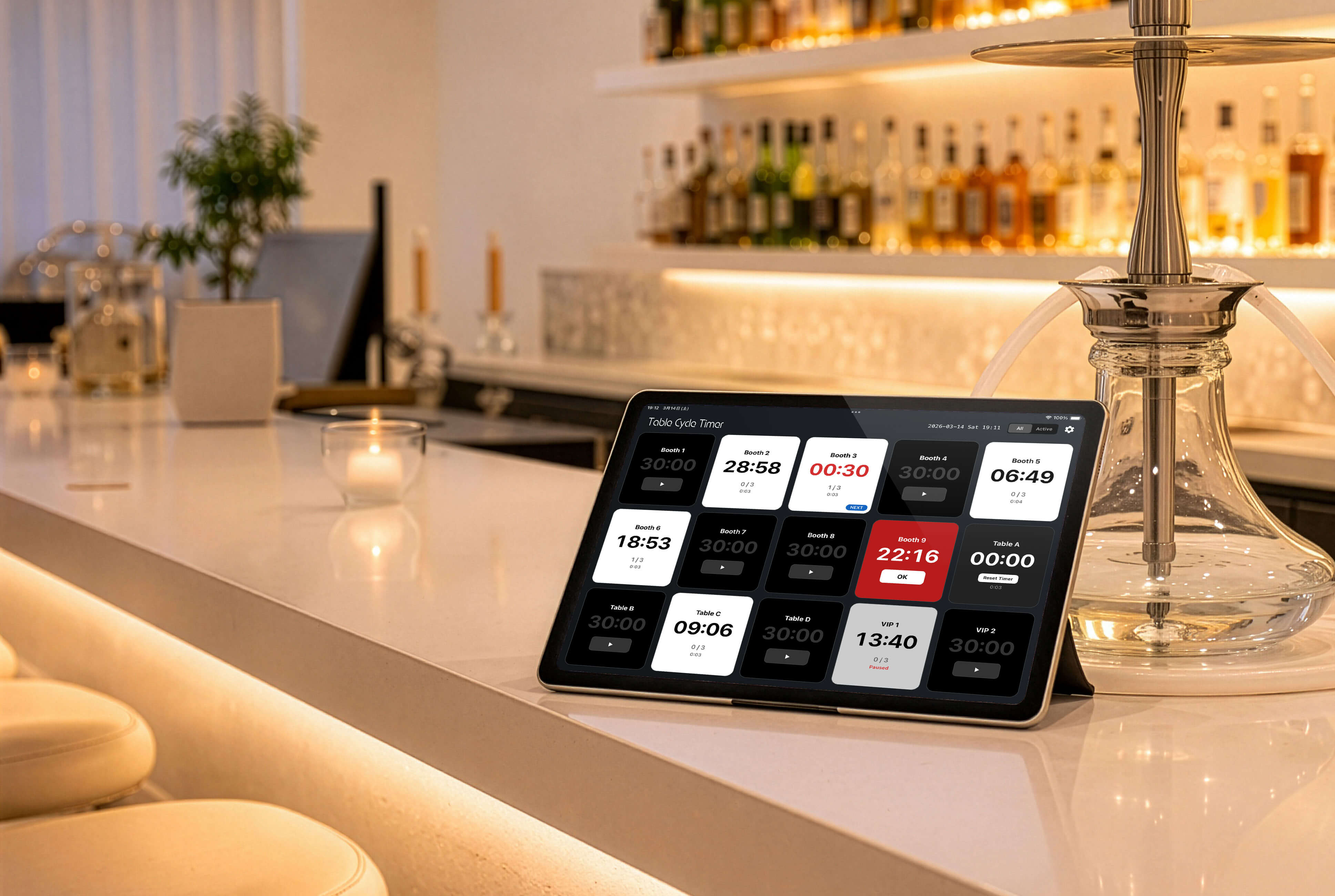
Run up to 30 timers—one for each table—so you never miss a timing or the next cycle.
Free / No Ads

Overview
Table Cycle Timer is a refined multi-timer designed for precise, uninterrupted workflow management.
Control up to 30 timers simultaneously, with seamless repeat cycles and fixed intervals that keep recurring tasks perfectly in sync.
A clean, highly legible interface ensures that remaining time is always clear at a glance, even in fast-paced environments.
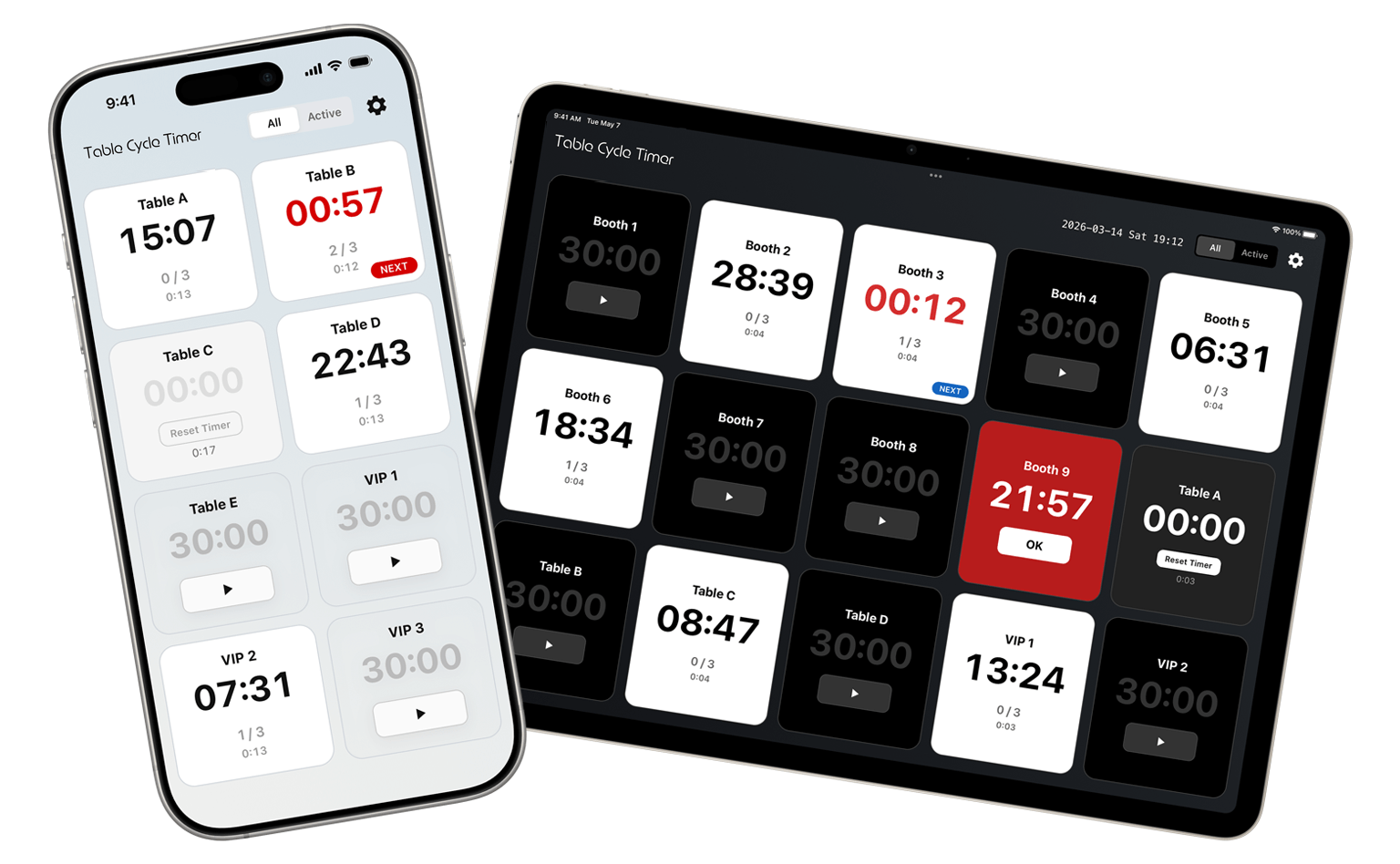
Optimized for both iPhone and iPad, it works beautifully as a shared display on counters and workstations.
Use cases:
• Service timing and task cycles
• Order checks and routine tasks
• Any repeated time-based workflow
Free / No Ads
What Table Cycle Timer can do
Manage timing and recurring service intervals—all in one app.
-
Up to 30 timers
Run multiple timers at once. Keep track of every table even during peak hours.
-
Set default for all timers
Set the default time and count once, and apply it to all timers instantly.
-
Alerts & alarm
Show alerts at set intervals. Optional alarm sound for notifications.
-
Cycle count
Track remaining cycles. Always know when to act next.
-
Quick reset
Move to the next timer right after a cycle ends. Less stress, faster table turnover.
-
Tablet-optimized
Comfortable on iPad. Ideal as a shared display at the counter for staff.
How to Use Table Cycle Timer
A clean, intuitive interface makes it easy for anyone to get started.
-
① Quick Setup
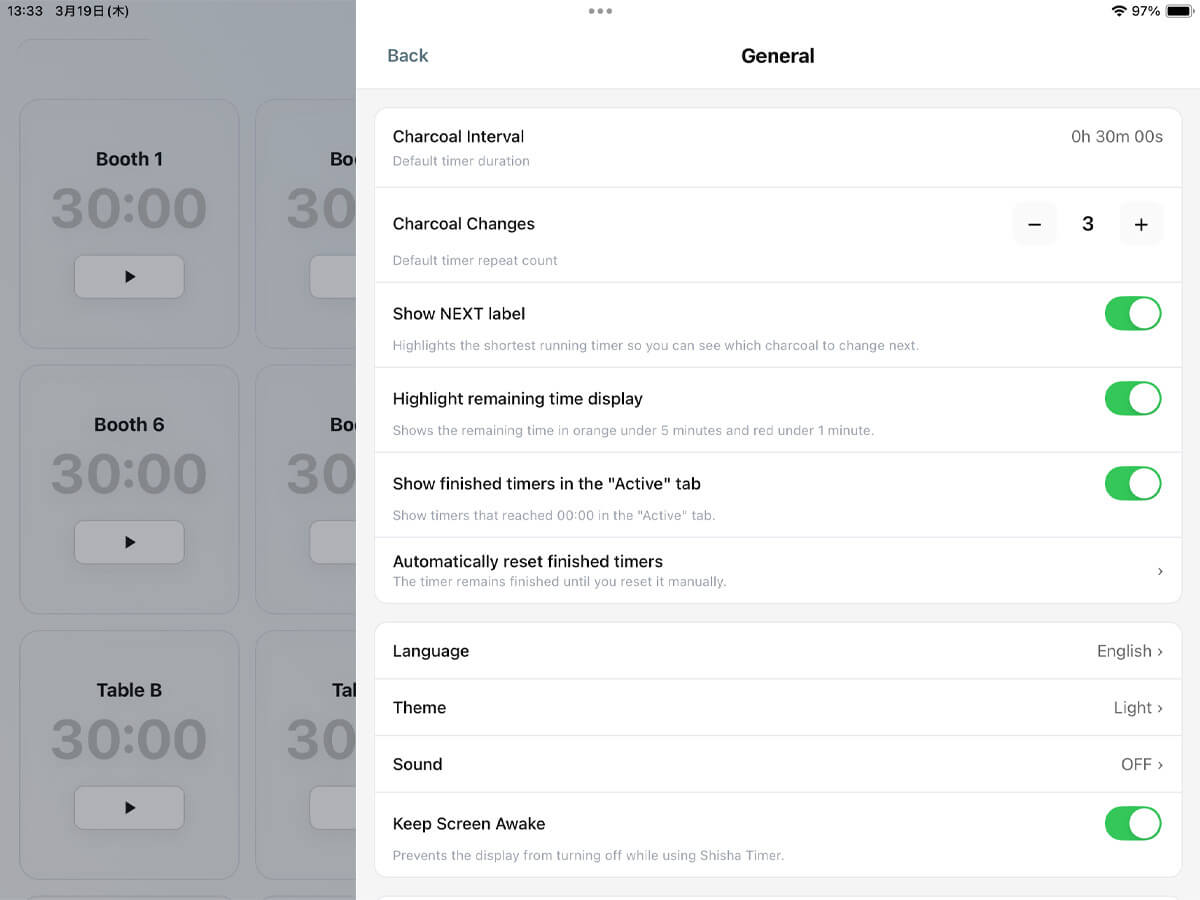
Configure regular intervals, cycle count, alarm on/off, number of timers (seats), and custom names for each timer.
-
② Start with One Tap
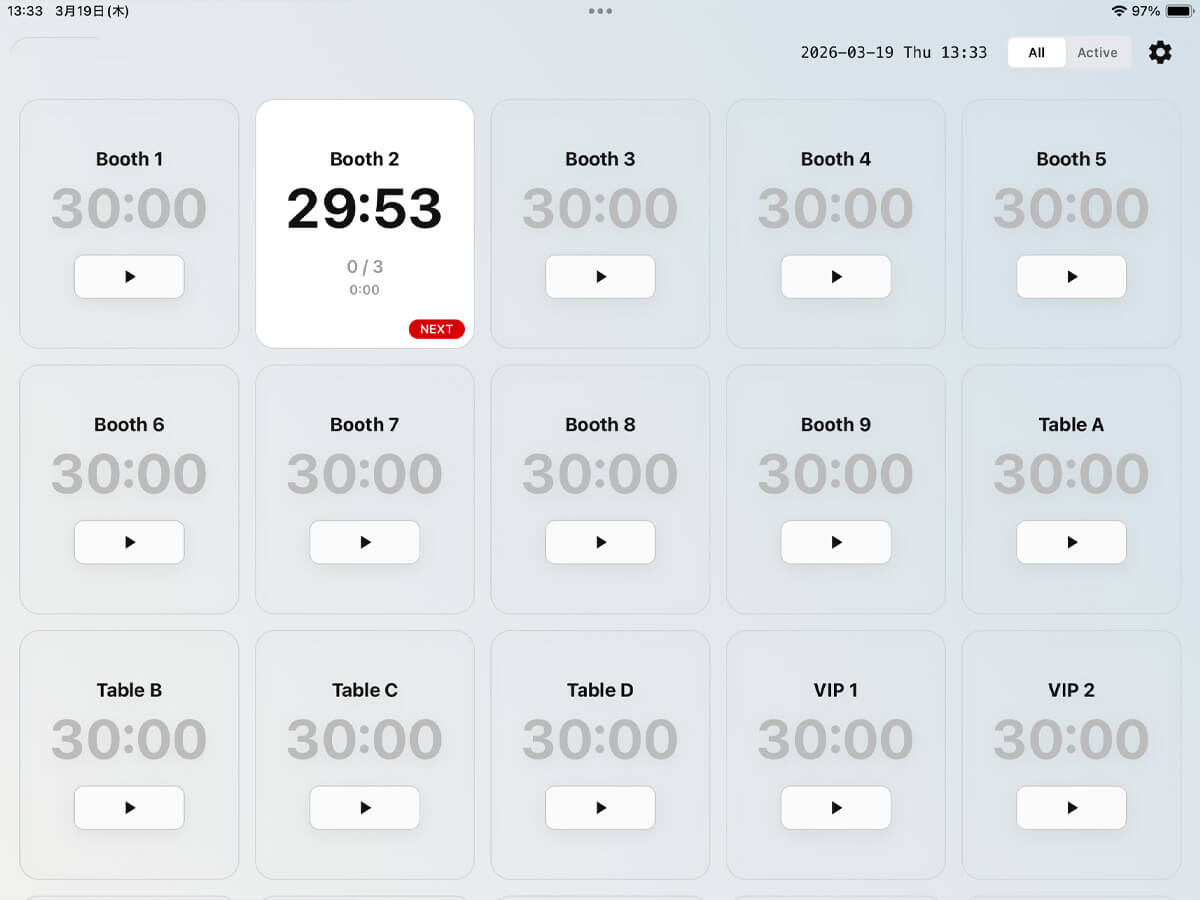
Start a timer instantly with a single tap when starting table service.
-
③ Check Remaining Time at a Glance
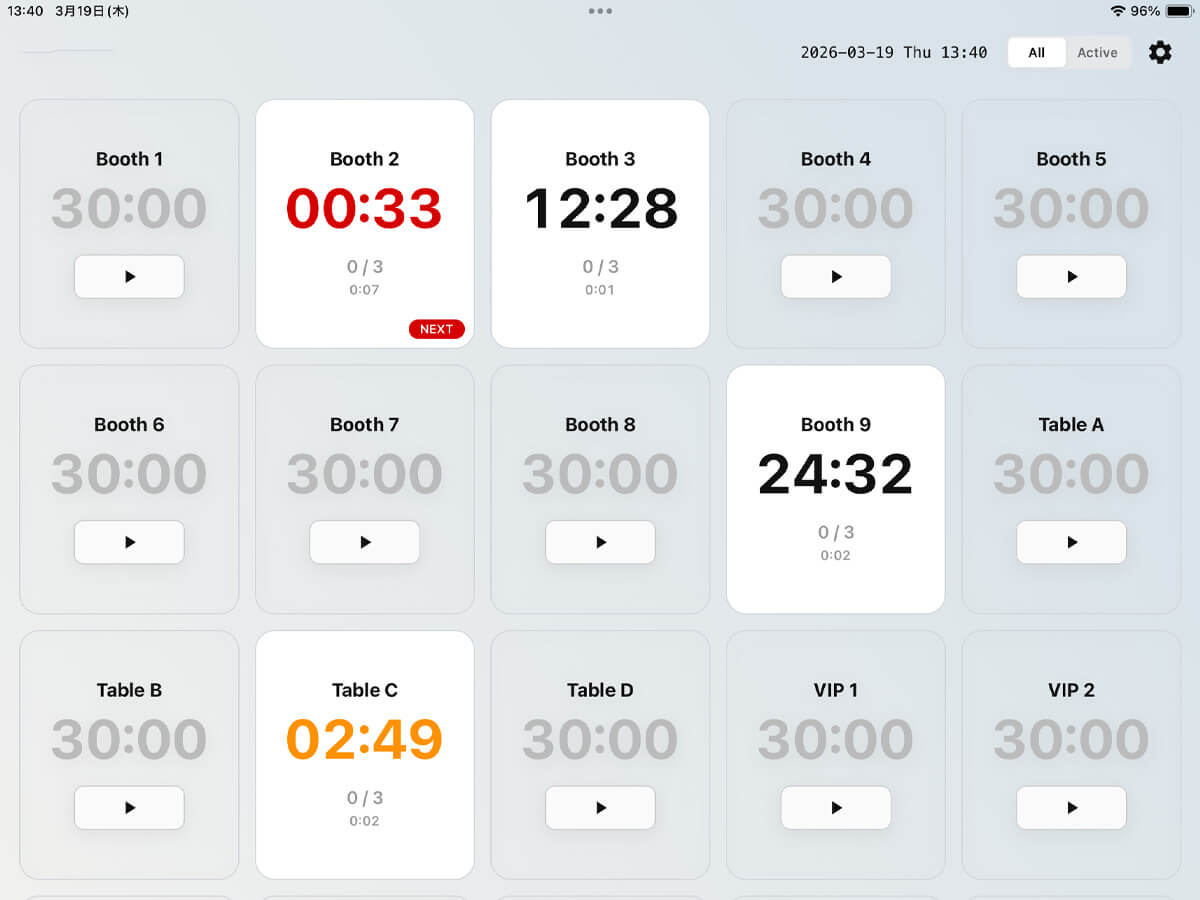
View remaining time, cycle count, and total elapsed time. You can also enable color changes based on time and display a “NEXT” label for the upcoming table.
-
④ Alerts & Alarms for Regular Cycles
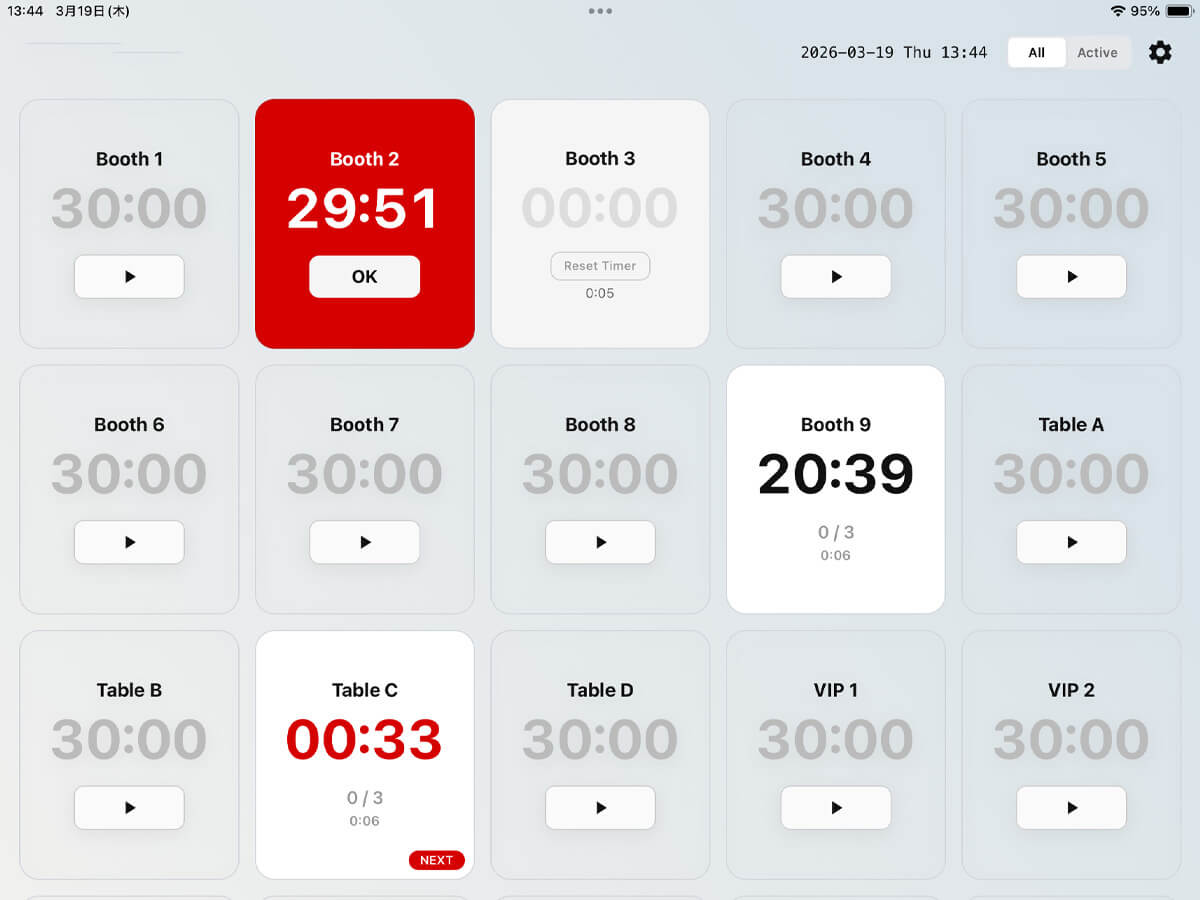
When the timer reaches zero, alerts and alarms notify you. The next cycle continues counting in the background, so your total time stays accurate.
-
⑤ Easy Adjustments & Quick Reset
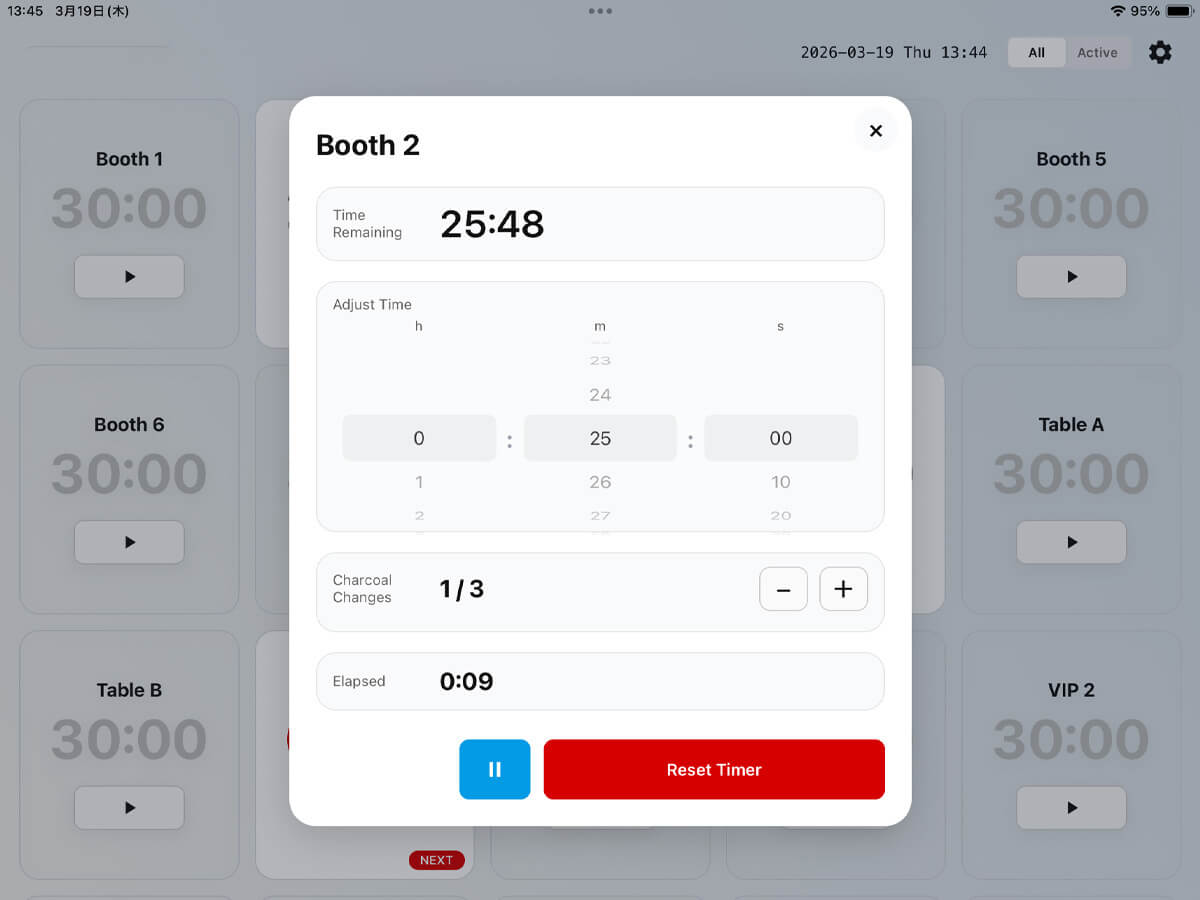
Adjust remaining time, update cycle count during a service change, and easily pause, resume, or reset timers.
-
⑥ Light Mode / Dark Mode
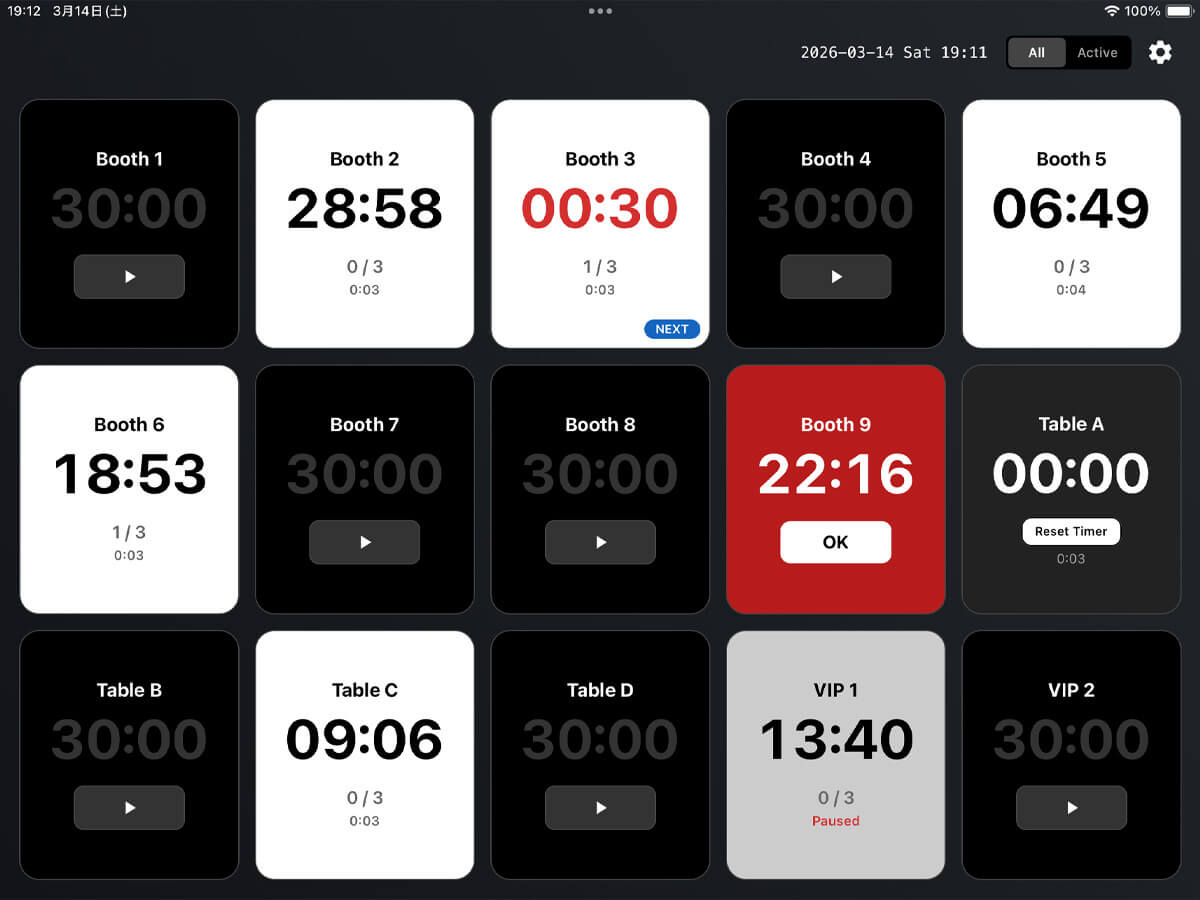
Switch between light and dark mode to match your environment or preference.
App Settings
Timer settings
- Regular interval (default timer duration)
- Cycle count (default timer repeat count)
- Show NEXT label
- Highlight remaining time display
- Show finished timers in the "Active" tab
- Auto-reset
- Timer display settings (show/hide up to 30 timers, rename)
General settings
- Language (Japanese/English)
- Theme (Light/Dark)
- Sound
- Keep screen awake
- Notifications
Display settings
- Timers to show in list (All/Active)
Running timer controls
- Adjust remaining time
- Change cycle count
- Pause
- Resume
- Reset
A better timer
for multi-table service
Simpler timing for every table.
Get Table Cycle Timer on the App Store.