
Table Cycle Timer
Hookah Timer
for Charcoal Timing
& Multi-Table Lounges
No more kitchen timer.
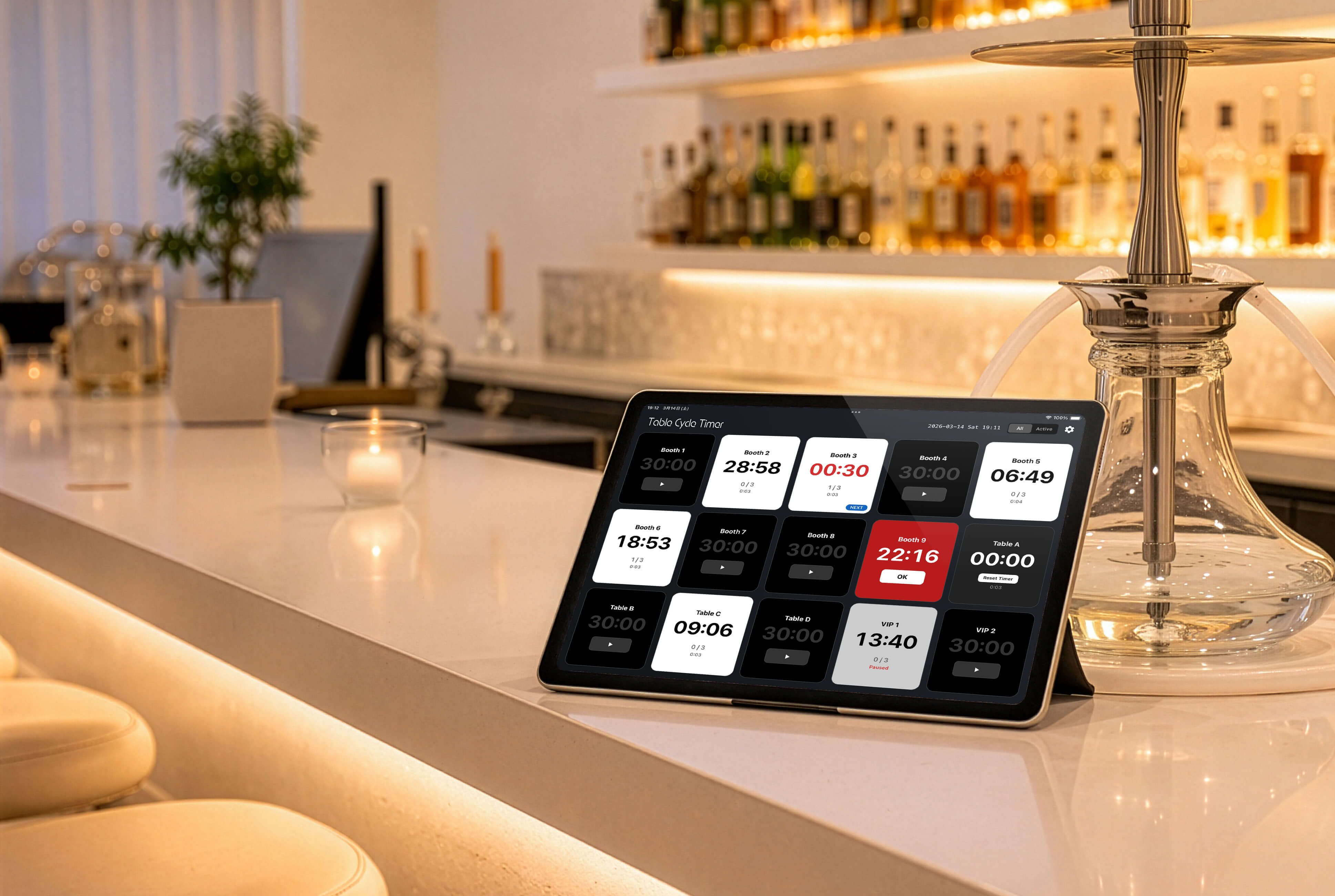
Run up to 30 timers—one for each table—so you never miss a session or charcoal change.
Free / No Ads

Overview
Table Cycle Timer is a powerful hookah timer app designed for hookah lounges that need to manage charcoal timing and multiple table sessions.
In real lounge operations, tables start at different times, making it difficult to track when to change hookah charcoal.
With up to 30 timers visible at once, you can quickly see which table needs attention next and keep your charcoal timing consistent.
• Track hookah charcoal timing for each table
• Manage multiple table sessions in one view
• Improve timing management in your hookah lounge
• Share charcoal change timing among staff
Free / No Ads
What Table Cycle Timer can do
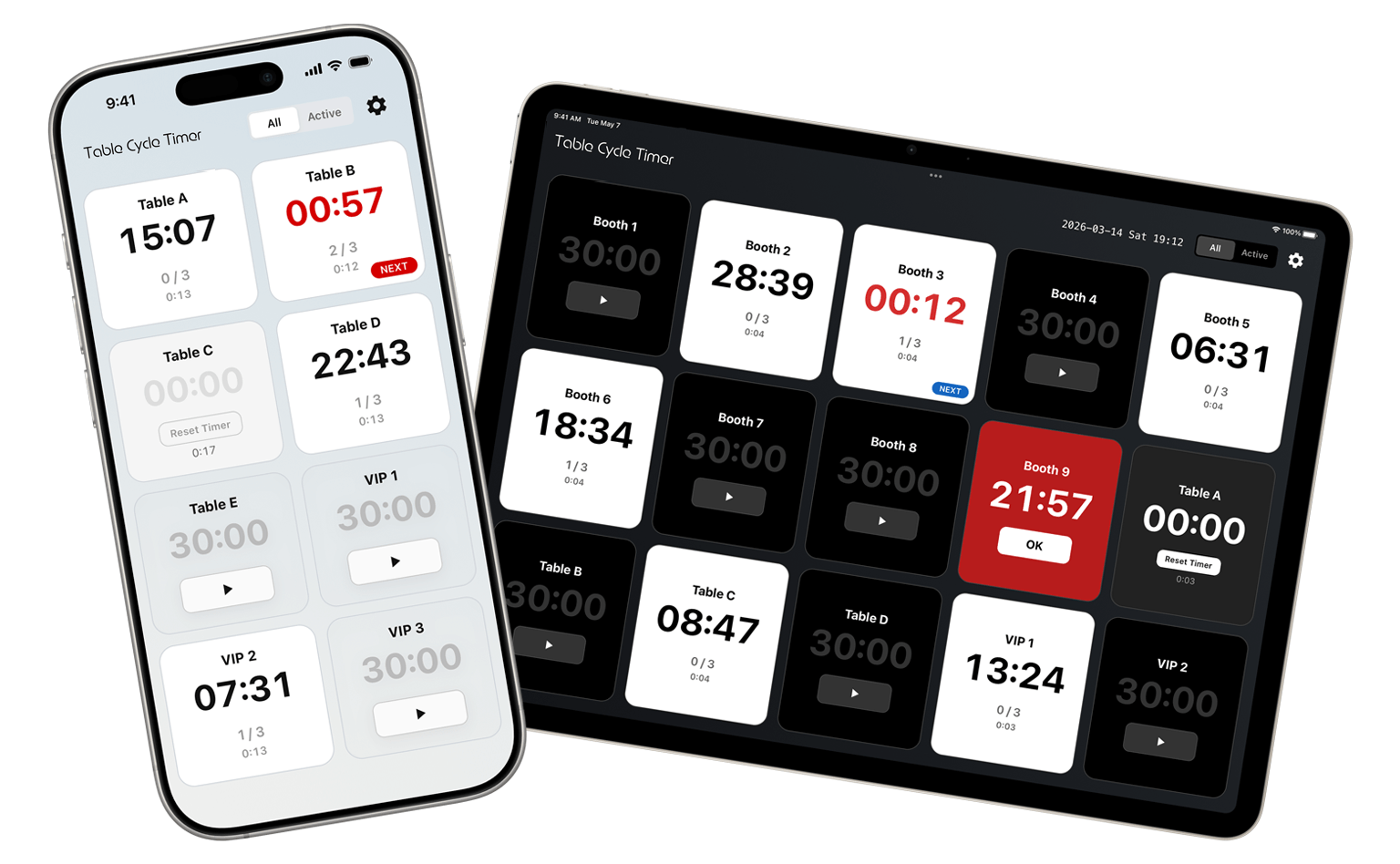
Manage session time and charcoal—all in one app.
-
Up to 30 timers
Run multiple timers at once. Keep track of every table even during peak hours.
-
Set default for all timers

Set the default time and count once, and apply it to all timers instantly.
-
Alerts & alarm
Show alerts at set intervals. Optional alarm sound for notifications.
-
Charcoal change count

Track when to change charcoal. You can also adjust remaining count when changing the bowl.
-
Quick reset
Move to the next timer right after a cycle ends. Less stress, faster table turnover.
-
Tablet-optimized

Comfortable on iPad. Ideal as a shared display at the counter for staff.
How to Use Table Cycle Timer
A clean, intuitive interface makes it easy for anyone to get started.
-
① Quick Setup
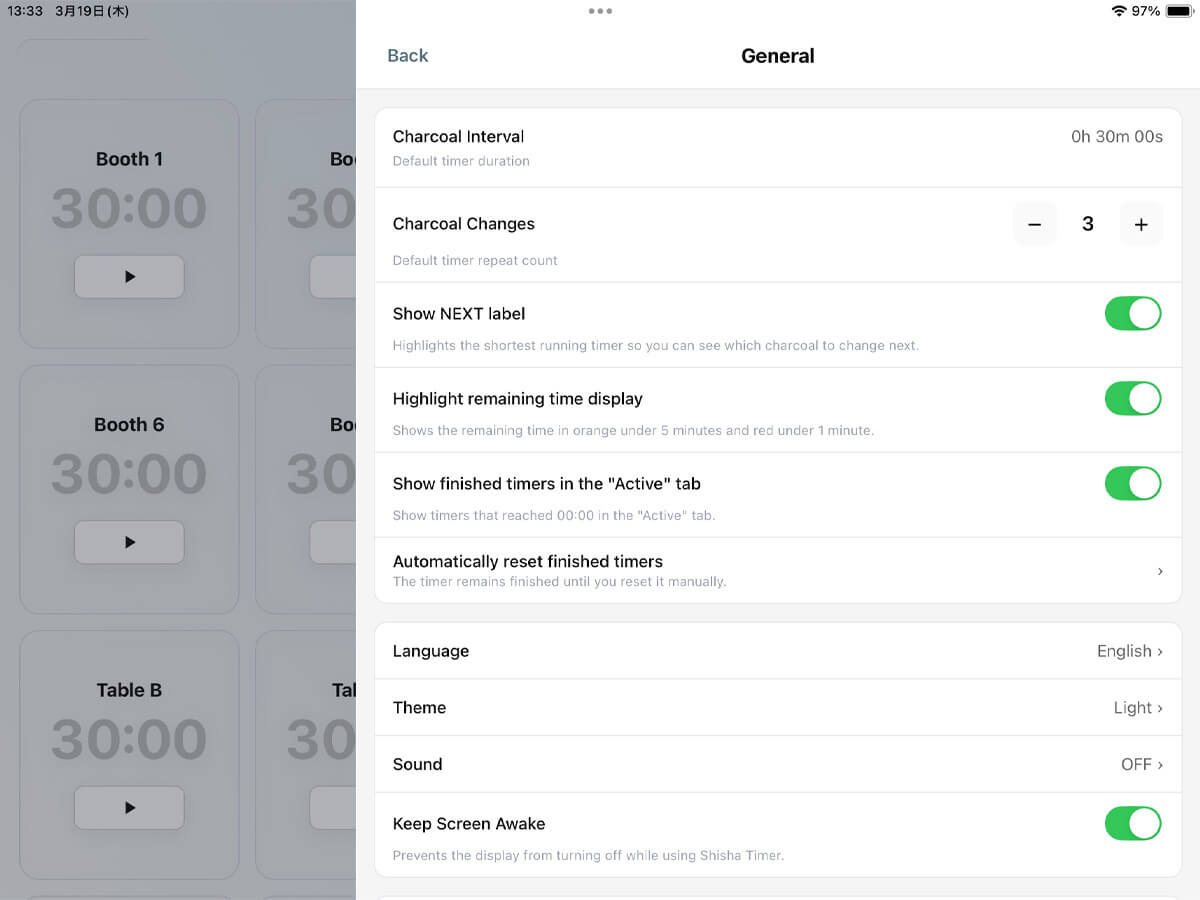
Configure regular intervals, cycle count, alarm on/off, number of timers (seats), and custom names for each timer.
-
② Start with One Tap
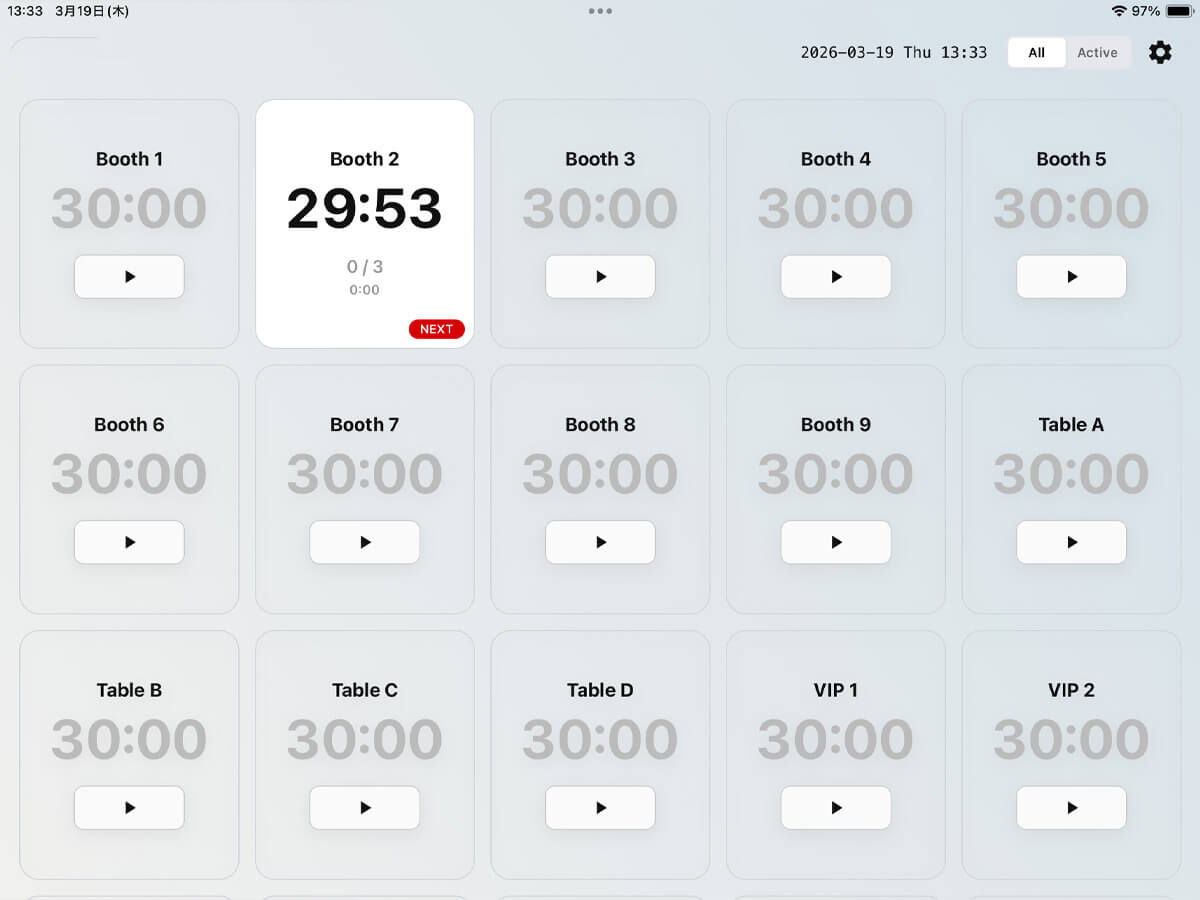
Start a timer instantly with a single tap when starting table service.
-
③ Check Remaining Time at a Glance
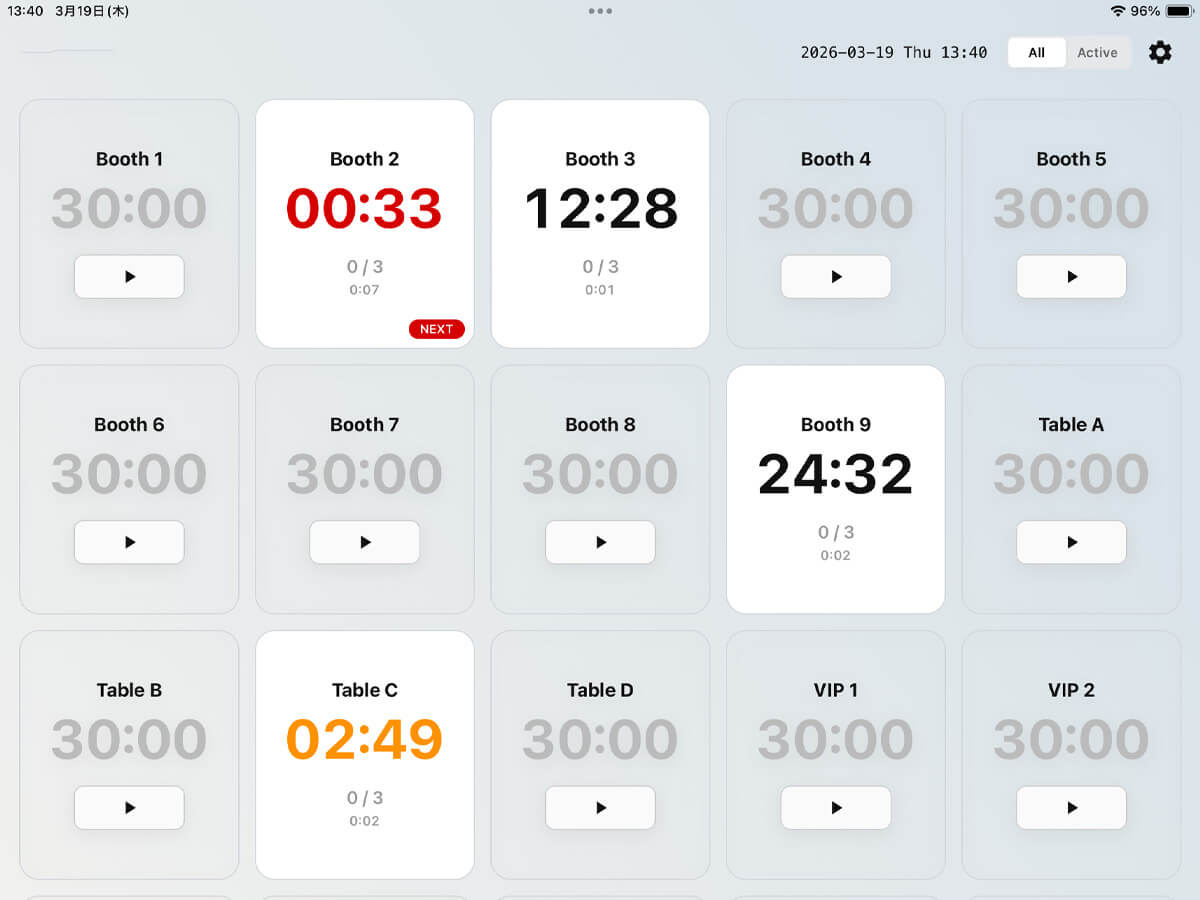
View remaining time, cycle count, and total elapsed time. You can also enable color changes based on time and display a “NEXT” label for the upcoming table.
-
④ Alerts & Alarms for Regular Cycles
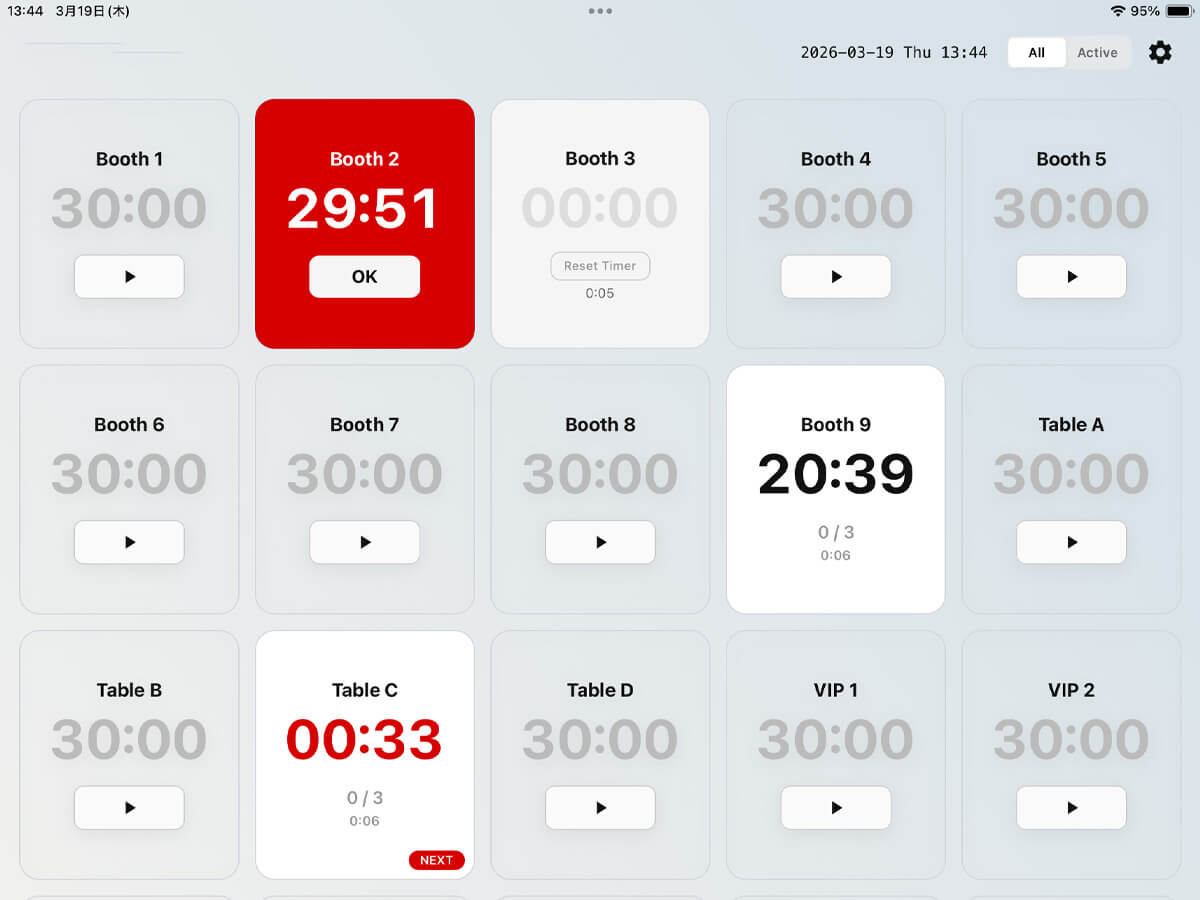
When the timer reaches zero, alerts and alarms notify you. The next cycle continues counting in the background, so your total time stays accurate.
-
⑤ Easy Adjustments & Quick Reset
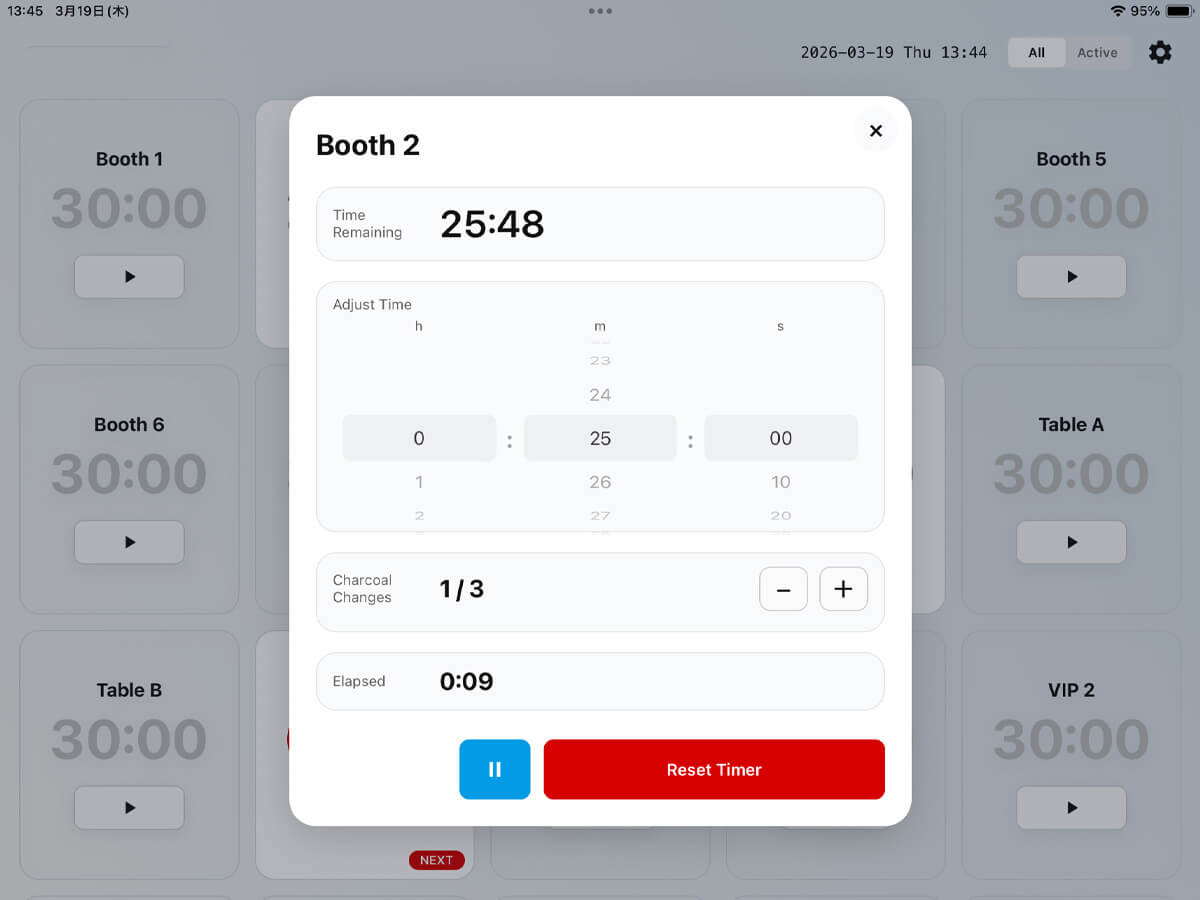
Adjust remaining time, update cycle count during a service change, and easily pause, resume, or reset timers.
-
⑥ Light Mode / Dark Mode
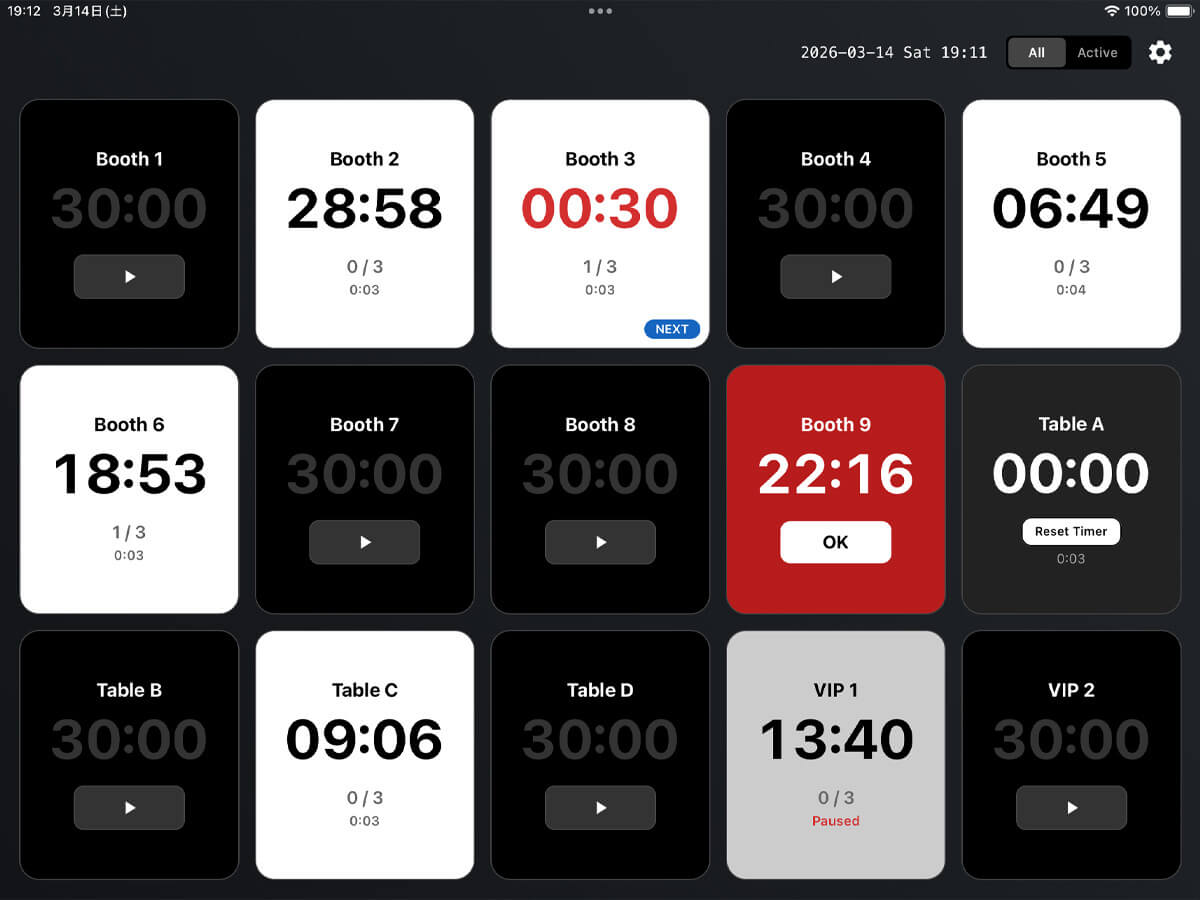
Switch between light and dark mode to match your environment or preference.
App Settings
Timer settings
- Regular interval (default timer duration/Charcoal interval)
- Cycle count (default timer repeat count/Charcoal changes)
- Show NEXT label
- Highlight remaining time display
- Show finished timers in the "Active" tab
- Auto-reset
- Timer display settings (show/hide up to 30 timers, rename)
General settings
- Language (Japanese/English)
- Theme (Light/Dark)
- Sound
- Keep screen awake
- Notifications
Display settings
- Timers to show in list (All/Active)
Running timer controls
- Adjust remaining time
- Change cycle count
- Pause
- Resume
- Reset
FAQ
- It is a timer app aimed at hookah lounges: many parallel timers plus cycle tracking—so you are not forced to share one kitchen timer for the whole floor.
- Up to 30 at once—designed for venues that run multiple tables.
- See the App Store for current pricing and any in-app purchases before you install.
- Yes. Layout is tuned for iPad, so it works well as a shared screen at the counter.
- A kitchen timer does one countdown. Table Cycle Timer runs many timers at once and tracks cycle rounds—closer to how a busy hookah lounge actually works
- It typically depends on the setup, but many lounges replace charcoal every 20-30 minutes. This app helps you track that timing for each table.
A better timer
for hookah lounges
Simpler timing for every table.
Get Table Cycle Timer on the App Store.

Related Articles
- Best Hookah Timer Apps in 2026 (Free & Paid)
- Best Hookah Brands and Their Popular Flavors | Complete Guide
- How Often Should You Change Hookah Charcoal?
- Hookah Lounge Management Tips (Improve Efficiency & Reduce Mistakes)
- Hookah Session Timing Guide for Beginners
- Why Timing Matters in Hookah (Flavor, Heat & Experience)
- Hookah Setup Mistakes (Timing & Heat Management)
- How to Manage Hookah Lounge Timing Efficiently
- How to Manage Multiple Tables in a Hookah Lounge
- Hookah Charcoal Timing Guide (When to Change Charcoal)
- How Long to Steam Your Shisha for the Best Flavor